How Haru Hana works
Haru Hana is a family journaling app with three spaces: Family Room, My Room and Parent & Me. Here is what a day looks like, from the daily question to the conversation that follows.
1. Start with today's question
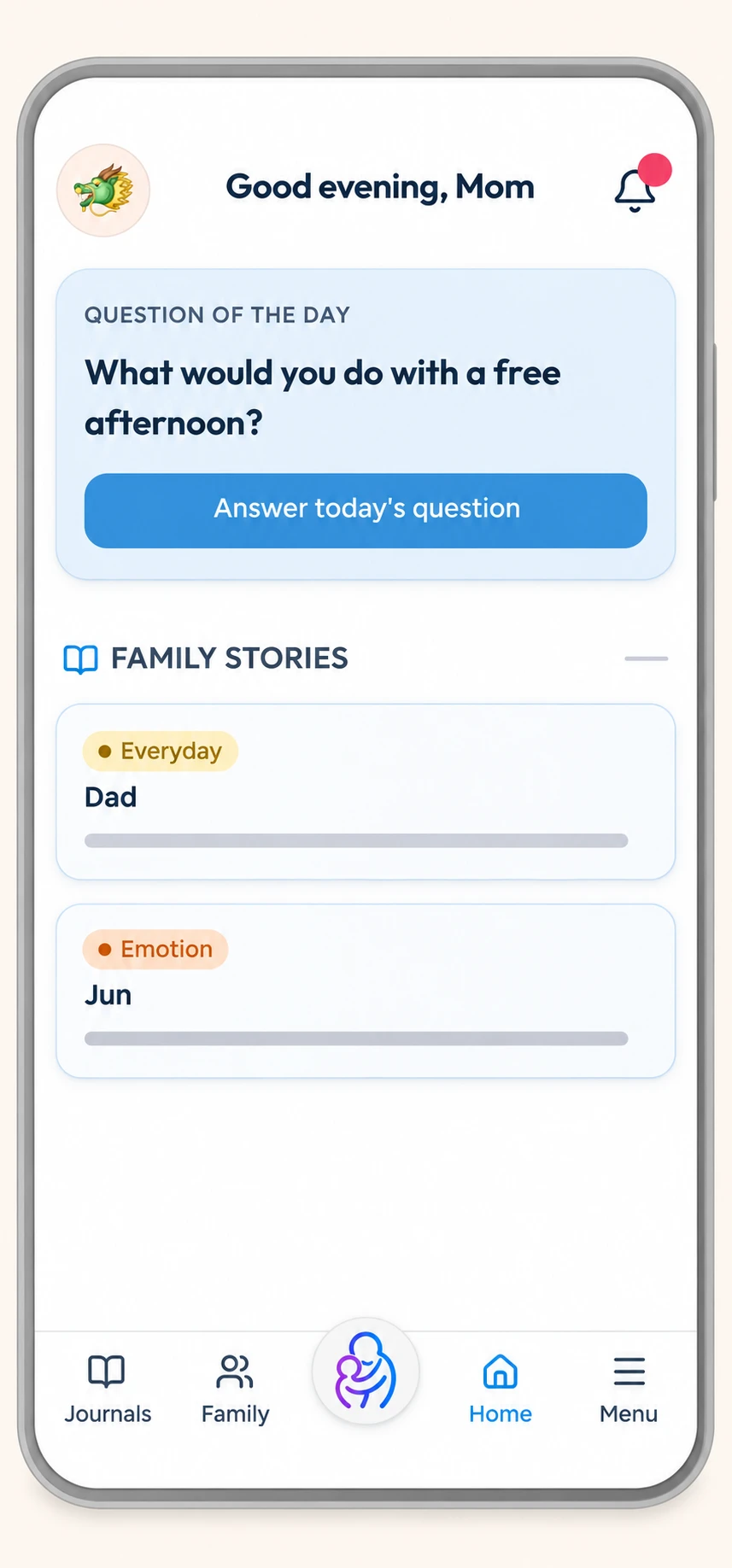
Each day, Haru Hana suggests a question, such as "What would you do with a free afternoon?" Answer it, or write about anything else on your mind. Your family's latest entries appear below it under Family Stories.
2. Choose where it goes
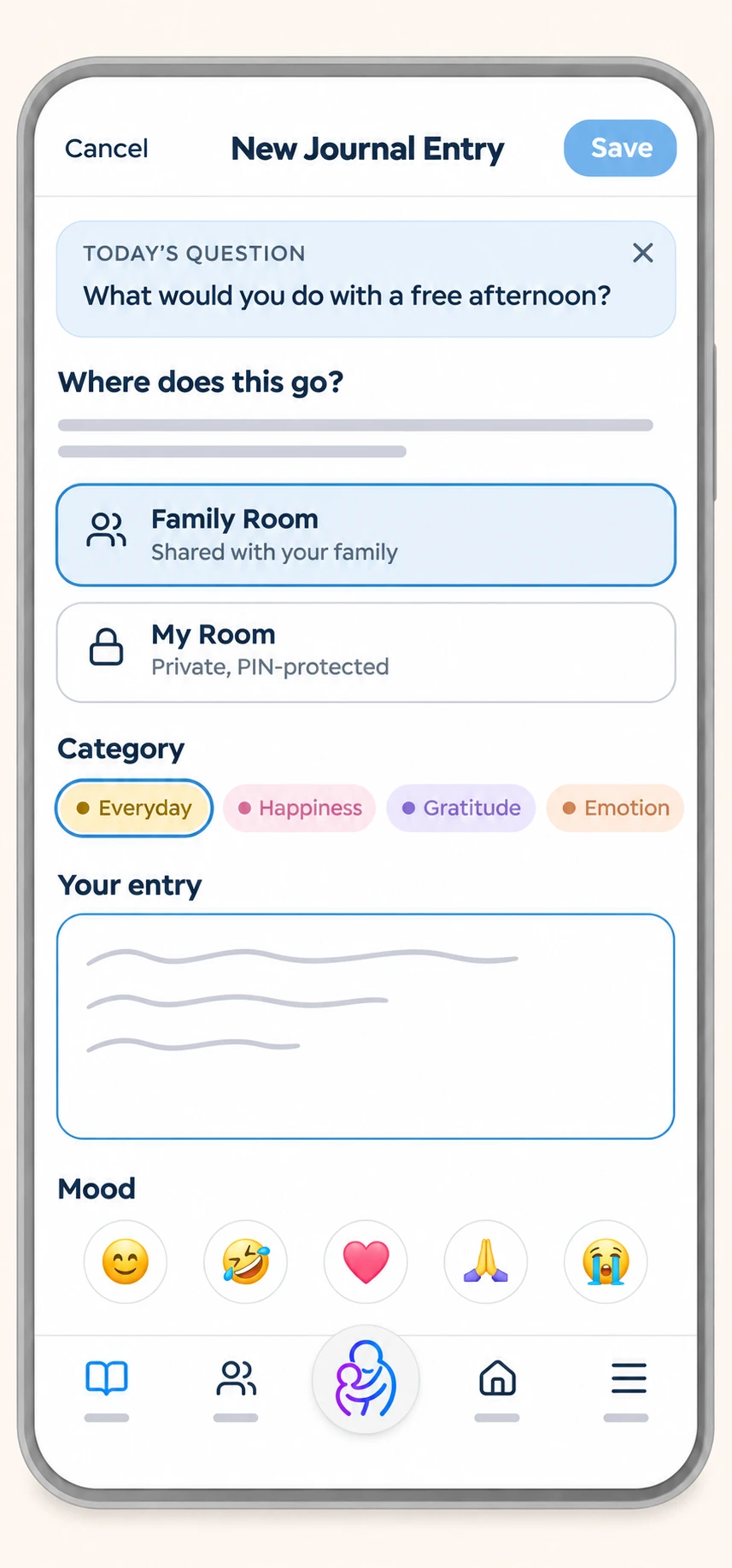
When you write, you choose the space: Family Room, shared with everyone in your family, or My Room, private behind your own PIN. Children under 13 also have Parent & Me, shared only with their parents. Pick a category, such as Everyday, Happiness, Gratitude, Emotion or Word Lab, and add a mood or tags if you like.
3. Read and reply
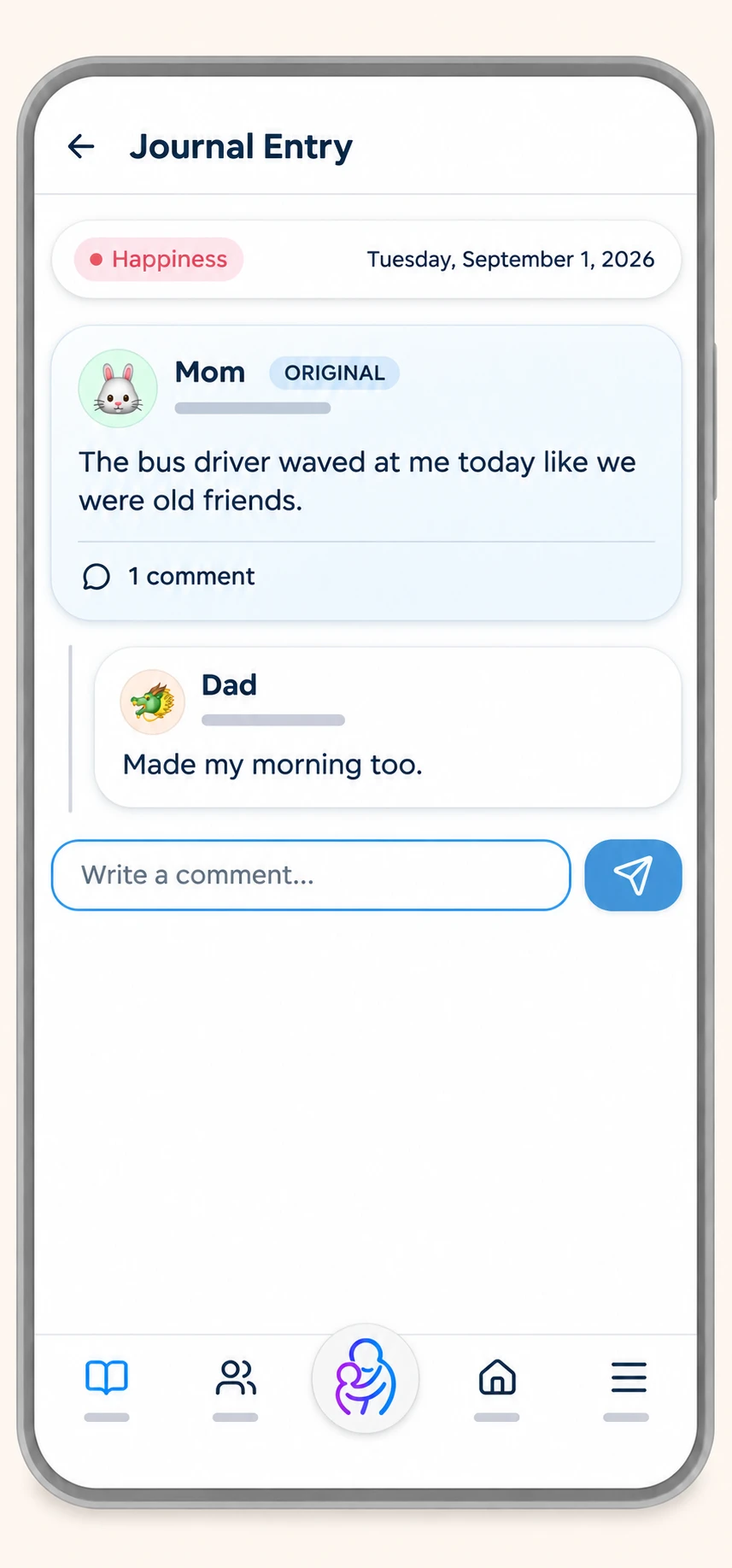
Open any Family Room entry to read it, or leave a comment. Replies stay inside your family. There are no follower counts and no public profiles.
2. Choose where it goes
When you write, you choose the space: Family Room, shared with everyone in your family, or My Room, private behind your own PIN. Children under 13 also have Parent & Me, shared only with their parents. Pick a category, such as Everyday, Happiness, Gratitude, Emotion or Word Lab, and add a mood or tags if you like.
3. Read and reply
Open any Family Room entry to read it, or leave a comment. Replies stay inside your family. There are no follower counts and no public profiles.
4. Write a story together
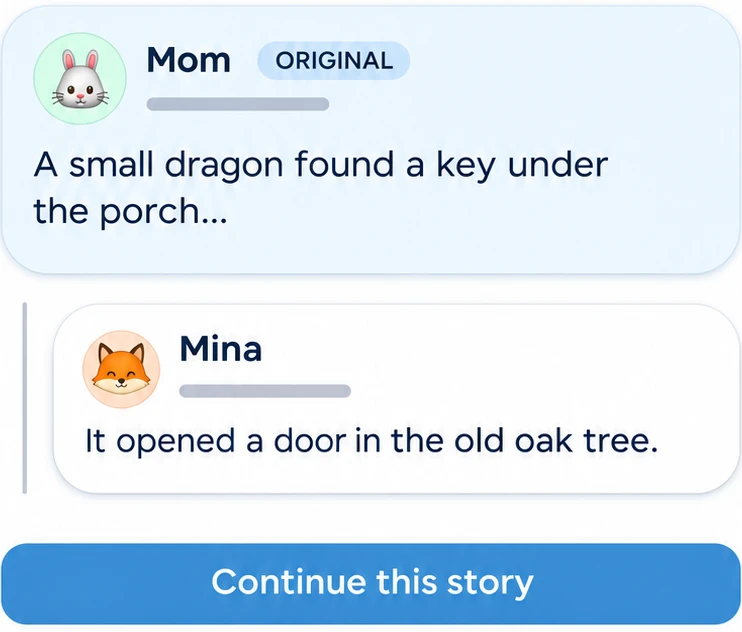
Tap "Continue this story" under an entry, and what you write becomes the next part. One person starts, the next picks it up. This is relay writing, and it works well with young children.
5. Look back
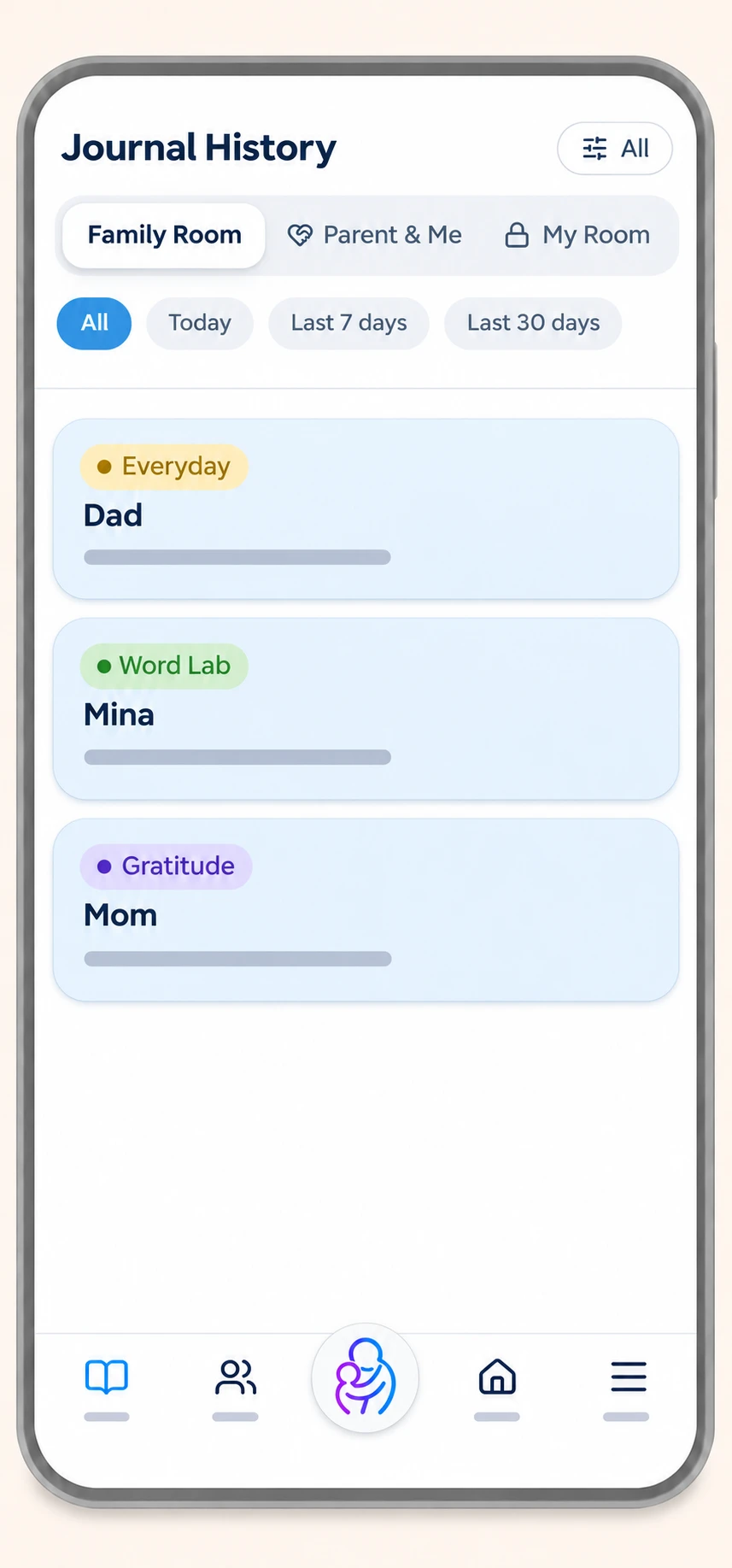
Journal History keeps every entry, sorted by space: Family Room, Parent & Me and My Room. Filter by today, the last 7 days or the last 30 days.
6. A private room with its own PIN
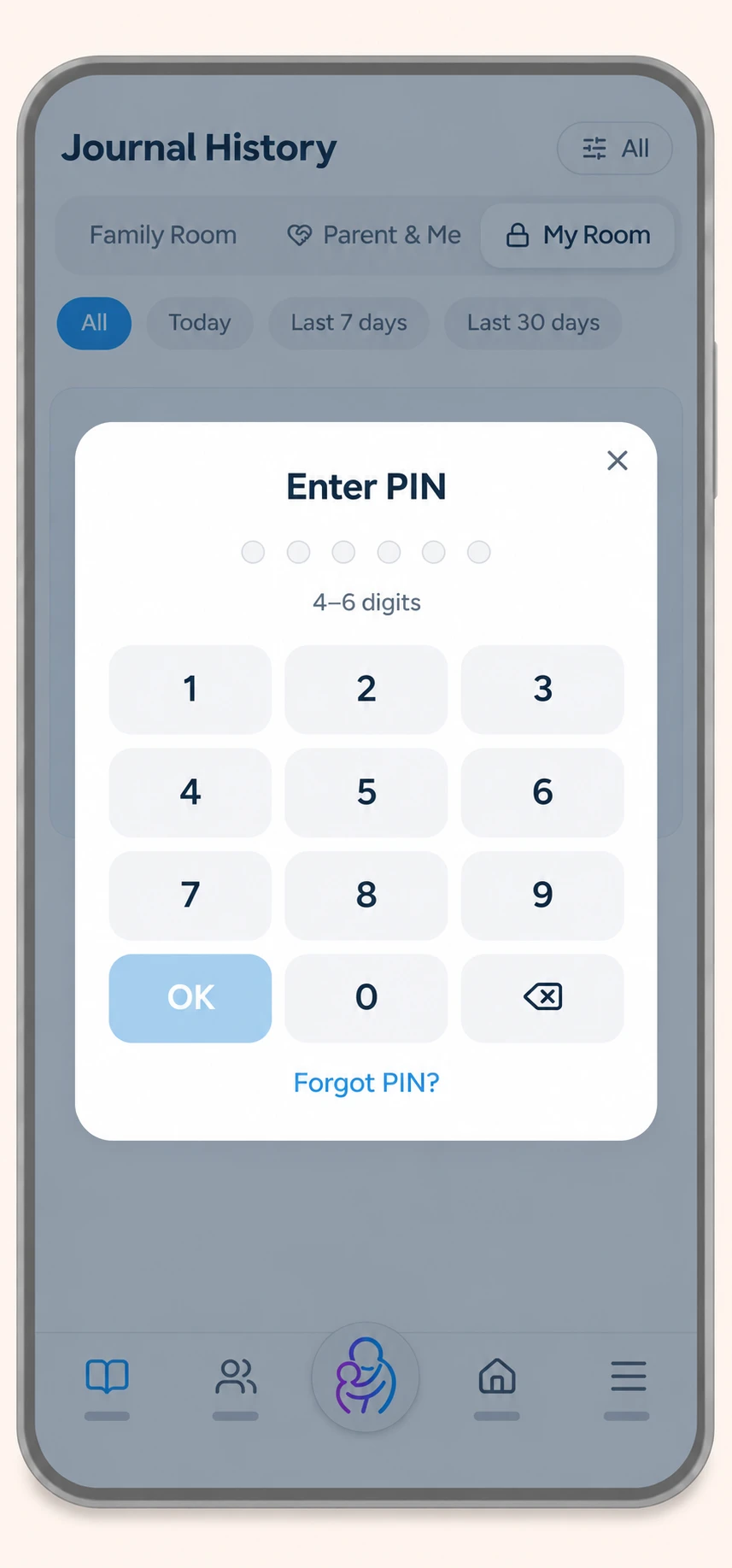
My Room asks for your PIN every time you open it. Adults can use it. Teens can ask for My Room from 13, and a parent confirms the request. Parents can't open a teen's My Room.
5. Look back
Journal History keeps every entry, sorted by space: Family Room, Parent & Me and My Room. Filter by today, the last 7 days or the last 30 days.
6. A private room with its own PIN
My Room asks for your PIN every time you open it. Adults can use it. Teens can ask for My Room from 13, and a parent confirms the request. Parents can't open a teen's My Room.
7. One family, one place
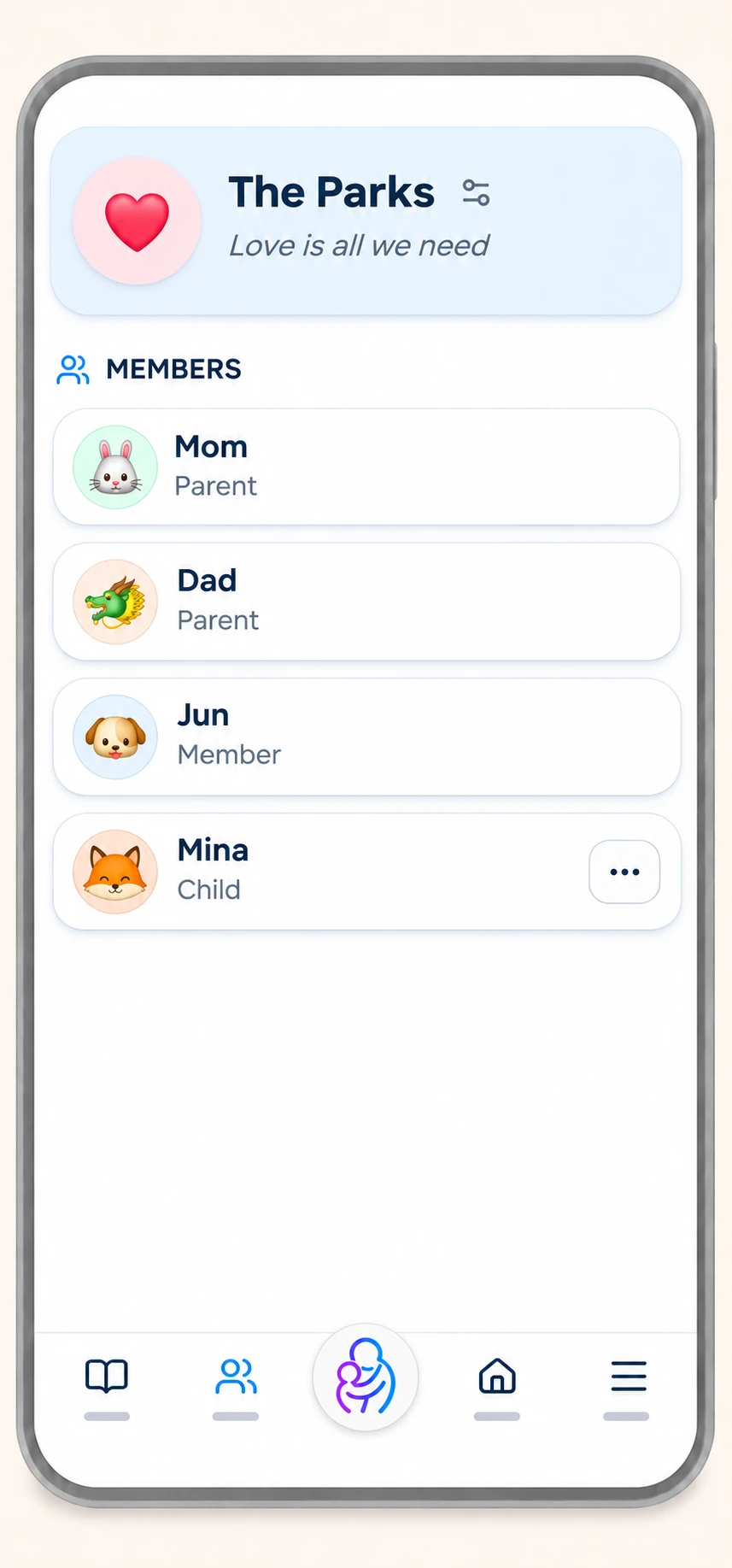
The Family page shows who is in your family and their role. Parents add children under 13, with consent, and confirm teens' My Room requests.